
TUL TUL
TPUART-KNX/EIB-Interface über USB/WLAN (ESP32 + NCN5130), Standalone-WiFi-KNX-Koppler.
TPUART-USB-Light (NCN-ESP32 version)
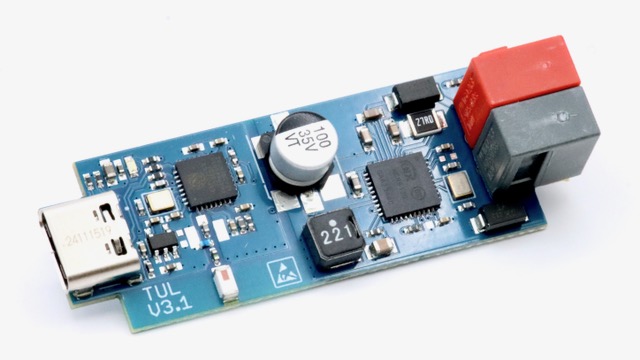
General
This module interfaces a KNX bus via USB and WLAN.
It replaces the old TUL ATMEGA-based stick.
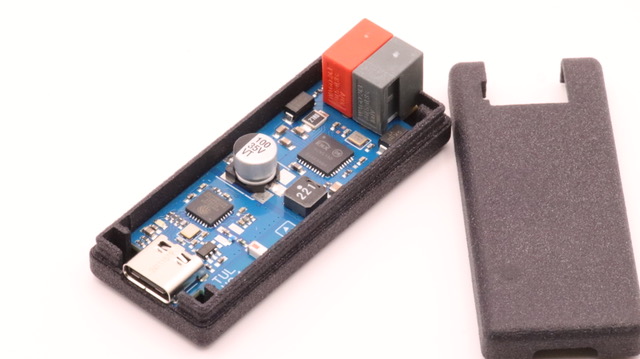 Have a look at this modules Image Gallery
Specs
- isolated KNX bus access by onsemi NCN5130 transceiver
- ESP32-C3 processor
- Status LEDs
- USB-C female socket
- on-board WLAN chip antenna
- plastic enclosure
Documents
Firmware
- use: web browser-based TUL-Firmware Installer
USB-serial emulation: ** goto Firmware Installer page - and choose “USB-serial emulation” ** example source code: serial transparent example ** TPUART will be available at /dev/ttyACMx. i.e. in knxd use:
… -b tpuarts:/dev/ttyACM0
simple WiFi-bridge: ** goto Firmware Installer page - and choose “WiFi-bridge” ** follow regular setup procedure - make sure you setup working WiFi connection and “visit device” to find its IP address ** Bridge will be mDNS-announced as “_ncn5130._tcp” - avahi-browse _ncn5130._tcp -rt ** TPUART is available at TCP port 2324. i.e. with knxd use:
… -b tpuarttcp:
:2324
Tasmota TCP bridge: ** goto Firmware Installer page - and choose “Tasmota” ** follow regular Tasmota setup procedure ** finally goto “Auto-configuration” and choose “Busware TUL” from dropdown - (this will load this Configuration) ** TPUART will be available at TCP port 2324. i.e. with knxd use:
… -b tpuarttcp:
:2324
direct KNX/IP UDP tunnel
For direct usage with i.e. Home Assistant you need to connect to a UDP tunnel device. Thanks to OpenKNX stack this has now become very simple and eliminates the need of separate “knxd”-installation:
** find example here on github ** goto Firmware Installer page - and choose “KNX/IP for TUL”
Implementations/References
Availability
This unit is available in our shop